
Pricing Alerts: large-scale management

April 27, 2026
A pricing alert is a notification that is triggered when a price falls outside a predefined range and prompts a designated person to take action. The workflow follows this sequence: who processes it, within what timeframe, and who approves it. In retail, six alerts cover the essentials, ranging from the break-even point to local prices falling outside their specified ranges.
Thresholds should be set based on the team’s processing capacity, not just on risk; otherwise, alerts will be ignored. Workflows must remain short: only issues that fall outside the thresholds are escalated. A good metric is the percentage of alerts followed by a price change.
With several thousand SKUs and dozens of stores, no one checks every price anymore. Quality control is handled through alerts.
The nature of the risk then changes: it is no longer the risk of missing an error, but rather the risk of generating so many alerts that the team stops reading them.
What alerts should be set up in retail, how should thresholds be based on the team's actual capacity, and who approves what?

Pricing Alerts vs. Workflow Alerts: What's the Difference?
A pricing alert is an automatic notification that is triggered when a price falls outside a predetermined range—such as a minimum margin, a legal threshold, a competitor’s price difference, or pricing consistency within a product line. It prompts an action and designates a person to take that action.
A workflow is the following sequence of steps: who processes the signal, within what timeframe, who approves the correction, and where it is recorded.
The difference between an alert and a report can be summed up in one sentence: a report is read; an alert is acted upon. An alert that no one acts on is just another report—only a noisier one.
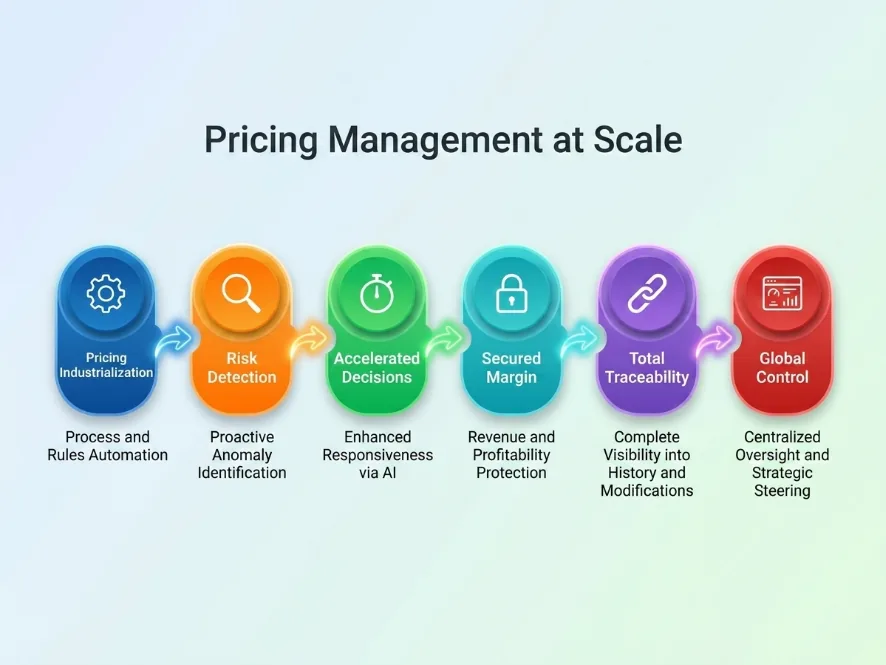
Why Alerts Become Essential as the Catalog Grows
A few thousand items, various store formats, a constant stream of promotions, and competitive prices that change every week: no one checks every price anymore.
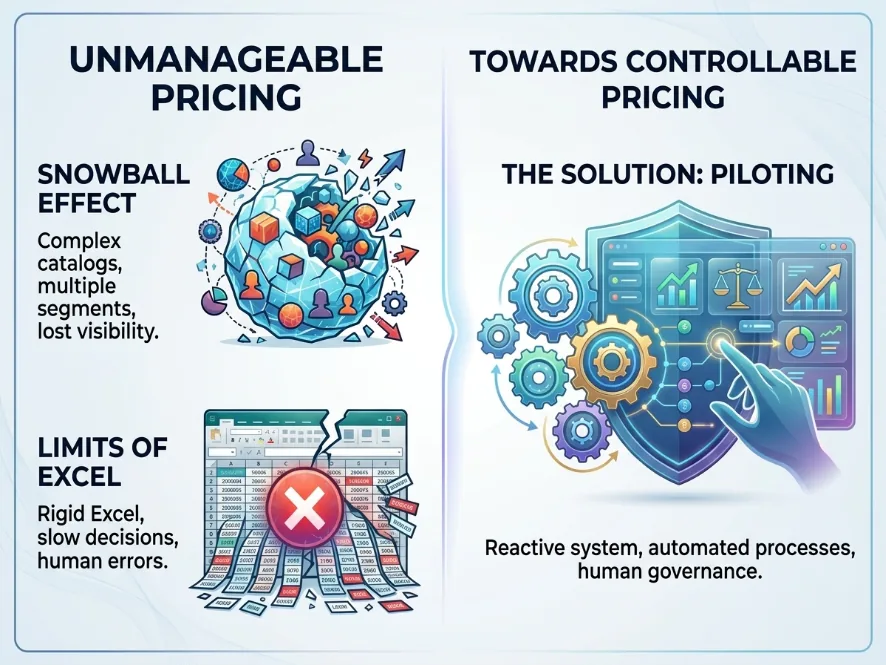
The nature of the audit then changes. We no longer check prices; we check for exceptions. This is the shift that Excel pricing spreadsheets cannot handle: a spreadsheet does not alert you when a margin falls below its threshold.
Some teams find a spreadsheet error every week, and 22% find one every day. With thousands of prices involved, errors are no longer a one-time occurrence—they’re a regular occurrence.
(DOSS, survey published in May 2026)
The risk, therefore, is not the lack of oversight. It is manual oversight that covers an increasingly small portion of the catalog, without anyone knowing exactly which part.
The Alerts That Really Matter in Retail
A price below the no-loss resale threshold. All it takes is rounding, a stacked promotion, or a supplier price reduction that hasn’t been properly passed on. This is a red flag that leaves no room for debate; the rules are outlined in our article on the no-loss resale threshold and Egalim promotions.
The margin below the floor price, by category. A single floor price for the entire store creates buzz around loss leaders and keeps high-margin products under the radar.
The price difference applies only to the products the customer is comparing— not to the entire catalog.
Inconsistencies in the product lineup. The large size costs more per liter than the small one, and the store brand is priced higher than the national brand: customers notice this before the staff does.
The absurd price. A price of zero, a misplaced decimal point, a 40% fluctuation from one week to the next.
Local pricing is out of control. In a chain where each store has its own rules, it’s the alert system that ensures consistency across the brand.
Our position: A competitor price discrepancy alert applied to the entire catalog is a configuration error. Against a backdrop of shelf prices that no one compares, the discrepancy does not require any action, and it obscures the discrepancies that do require action.
How many alerts can a team handle?
Thresholds are almost always set based on risk. We recommend starting from the other end: the team's capacity to handle the workload.
Illustrative example. Two people spend one hour a day on alerts, at a rate of five minutes per alert: they go through about 60 alerts a week.
If the configuration results in 400 items, 340 will be ignored. And not necessarily the least serious ones: an overloaded team handles the first ones on the list, not the most costly ones.
What an independent hypermarket demonstrates: the size of the team determines the acceptable number of alerts, not the other way around.
Saved, compared, and replayable price scenarios.
The store's strategy: to be the cheapest in the area. Booper serves as a benchmark for comparing prices with competitors, and each scenario is recorded: what was decided, why, and the ability to replay it.
- Issue
- Hold the cheapest position in the zone without losing sight of the margin.
- What Has Changed
- Comprehensive competitive benchmarking and a complete history of pricing scenarios.
Users are enough to drive the hypermarket's price alignment.
Store Management · Independent Hypermarket. Case study written by Booper based on an actual client project; client identity has been anonymized.
Three Rules for Setting Thresholds
A threshold is set by category, not for the entire store: a loss leader can have a margin that the rest of the aisle cannot.
A threshold is backtested on historical data before being activated: if applied to the last three months, how many alerts would it have generated, and how many would have triggered an action?
This adjustment should be planned for as soon as a pricing tool is rolled out, not after the team starts complaining.
An alert that hasn't triggered any action for a quarter is either deleted or rescheduled. Keeping it teaches the team to ignore alerts.
Who Approves What: Short Workflows
An effective workflow relies on areas of autonomy. The alignment proposed by the system within the boundaries of the pricing policy is implemented by the category manager. Anything that falls outside those boundaries is escalated—and only that.
Any increase above a certain threshold is reviewed by a committee. A local price that exceeds the limit is approved by headquarters. In all cases, the reason for the decision is documented in writing so that it can be reviewed six months later.
The opposite pitfall is common. Going through three rounds of approval just to lower the price of a loss leader by 2% gives the competitor a week’s head start: the distribution channel then costs more in lost margin than it protects.
And when the same exception occurs every week, it’s no longer an exception—it’s the rule that’s wrong. Our article on exceptions and waivers to the pricing policy explores this point further.
Assessing Whether Alerts Are Useful
The number of alerts is not indicative of anything. Three metrics are sufficient: the percentage of alerts processed, the processing time, and, most importantly, the percentage of alerts followed by a price change.
This action rate is the true measure of the configuration. If it is low, it indicates unnecessary alerts; if it is very high, it indicates thresholds that are too lenient, allowing deviations to go unnoticed.
The GENIUS Monitoring module centralizes alerts: price anomalies, competitor price discrepancies, stockouts, and rule violations.
Pricing rules (target, minimum, maximum) may vary from one retail location to another, with an alert triggered when a local price falls outside these limits. The break-even threshold, Egalim promotional caps, and the 30-day reference price are monitored natively.
Every decision is logged in the GENIUS Admin audit log. Details can be found on the Modular Pricing Solution.
See also in this feature
- The Booper Solution: Operational Pricing Consulting
- Pricing Rollout: Successfully Managing Change in the Workplace
- Pricing, Purchasing, Category Management: Moving Away from Separate Files
- Structuring the pricing organization of a retailer or e-commerce business
- Branch and Franchisee: Two Approaches to Profit Margins Under the Same Brand
FAQ
Reporting provides a retrospective view: average prices, margins, and monthly variances. A pricing alert is an immediate notification triggered when a price exceeds a threshold, prompting a designated person to take action.
A report is read; an alert is handled. Centralizing both is the role of a pricing tool.
A price below the break-even point, a margin below the category-specific minimum, a competitor’s price gap on products the customer is comparing, inconsistencies in the product lineup, an outlier price, and, within a retail network, a local price that falls outside the established range.
This is calculated based on the time actually available. For example, two people who spend one hour a day on this—at five minutes per alert—handle about 60 alerts per week.
Beyond that, alerts are ignored—and not necessarily the least serious ones.
By category rather than for the entire store, testing it against historical data before activating it. An alert that hasn't triggered any action in the past quarter should be deleted or escalated.
The person in charge of the category makes the decision, as long as the adjustment remains within the limits of the pricing policy. Only adjustments that exceed those limits are escalated to the committee or headquarters, along with a written explanation of the decision.
There is no one-size-fits-all model. Depending on the provider, the price varies based on the number of SKUs tracked, competitors, retail locations, or users, and retail solutions are typically priced on a quote basis.
Compare the cost based on your actual usage rather than the advertised price.
Quicklizard is a dynamic pricing platform that originated in e-commerce and has been extended to stores with electronic price tags. At Intersport Germany, it manages e-commerce, not the stores.
For a chain of stores in France, look for a software provider with deep industry expertise and built-in compliance with French regulations, such as BOOPER. For an online-focused retailer, consider Competera or Omnia Retail. For market intelligence, try Minderest. In the B2B sector, consider Pricemoov.

Management doesn't approve a price; it approves a trade-off between margin, volume, and price image. Presenting a single recommendation means asking management to trust you. Presenting the cost of each option gives management the information it needs to make a decision.
A sound projection provides a range rather than a single figure, specifies what is being excluded, and anticipates the gap between the projected increase and the actual increase. When compared with actual results, it establishes the credibility of the next projection.

A franchisor cannot impose a minimum resale price: doing so is punishable by law; the franchisor may only recommend a price or set a maximum. A franchisee’s margin is therefore governed by a documented target, defined by network segment and applied uniformly across each segment.
The best indicator of this governance is not adherence to the suggested retail price, but the rate of compliance with it by segment. A suggested retail price that franchisees in a given area do not follow often signals a poorly set price, not a lack of discipline.